How to start a game with your partner
Our games are online co-op games for two players, each on their own device. Starting a game works the same way in Unsolved Case, Unboxing the Cryptic Killer and Parallel Experiment: one of you creates the game, and the other joins it with an invitation code.
Before you start
- Each of you needs the game on your own device. You can play on different platforms: Steam, iOS and Android all play together. See Where can I buy your games?
- Make sure you can talk to each other. The games have no built-in voice chat, and you'll need to describe what you see all the time. Use Discord, a phone call or any other voice app. Read more in Do your games support voice communication?
- Use the same version of the game. Update the game on both devices before you play. See Do we need the same version of the game?
1. Choose Play Co-op
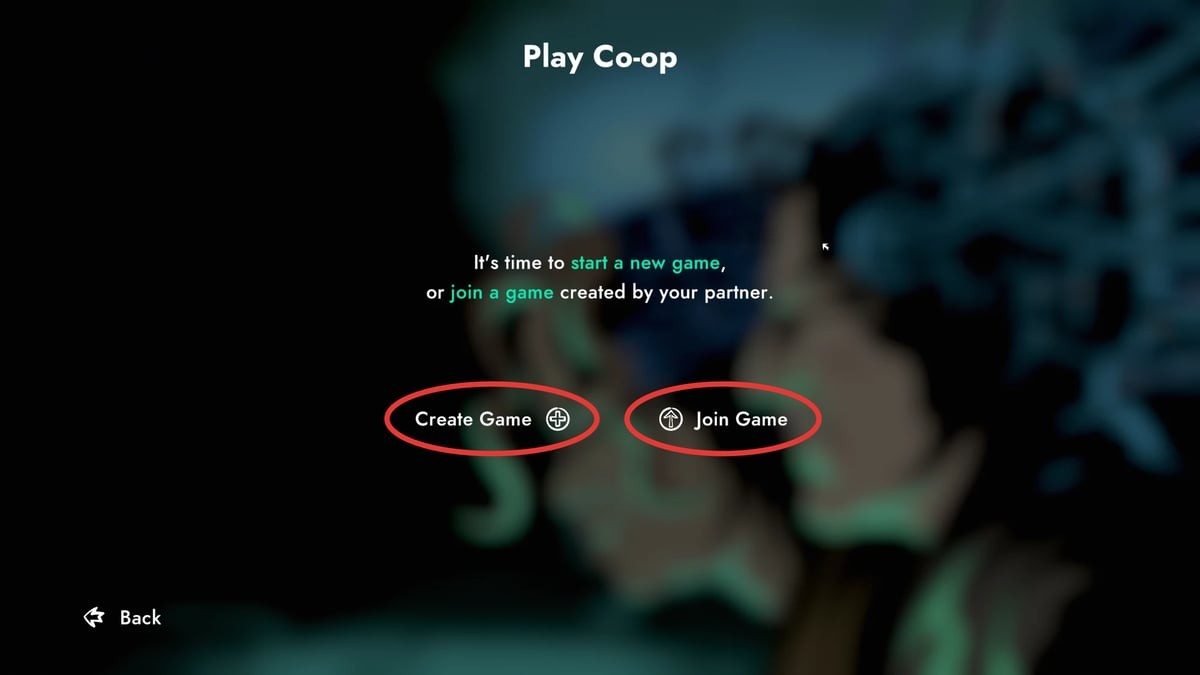
Both of you start the game and choose Play Co-op in the main menu. The game shows a few quick tips first; select Continue to go through them. Then you'll see two options: Create Game and Join Game.
2. One player creates the game
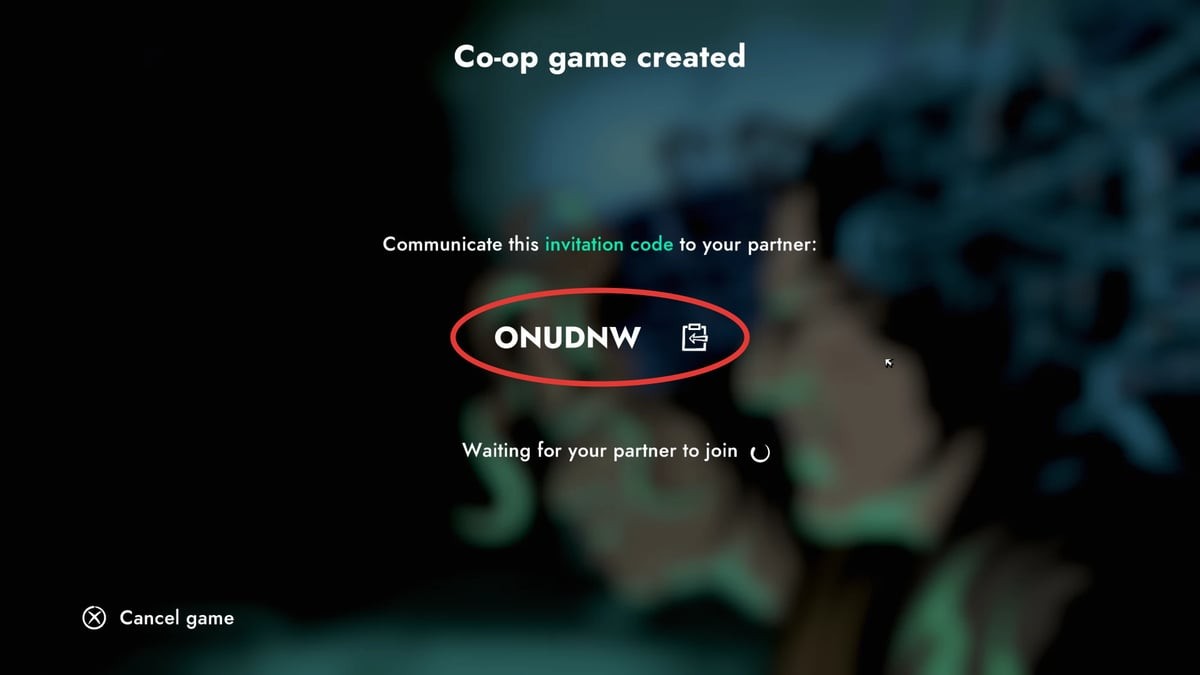
Decide which of you will be the host, and the host selects Create Game. The game shows a 6-character invitation code and waits for your partner to join. Send the code to your partner, for example over Discord or in a text message. The button next to the code copies it for you.
Keep the same host for the whole game. Your progress is saved only on the host's device, so to continue later, the same player has to create the game again. Read more in How does saving work?
3. The other player joins
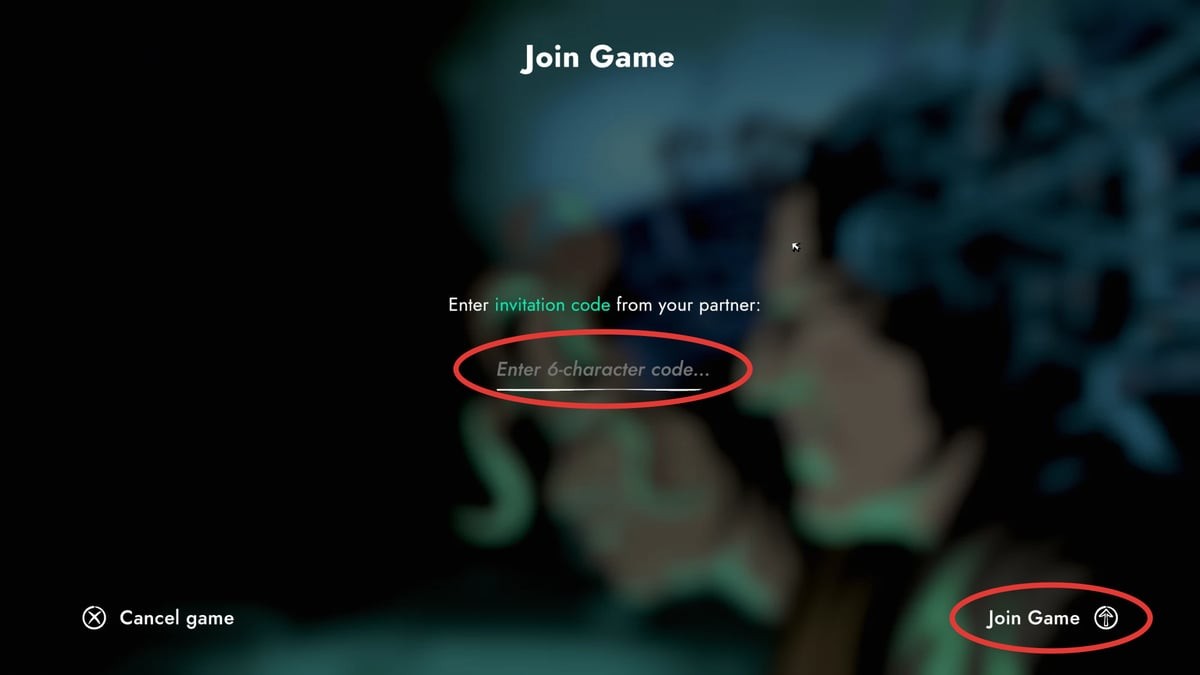
Your partner selects Join Game, enters the invitation code and selects Join Game again.
If the game says it can't find the code, see I get "The game for the selected Invitation Code was not found".
4. Choose your detectives
In the lobby, each of you plays one of the two detectives: Old Dog or Ally. You'll see different places and clues, so you'll have to work together to solve the puzzles. To swap detectives, use Switch a character.
If you've played before, the host can also choose where to continue from.
5. Start the game
When you're both in the lobby, the host selects Start. Have fun, detectives!
Can't connect?
The game picks the best server for you automatically. If you have trouble connecting or the game is slow, you can choose a different server in the lobby under Server selection. Go through our connection issues guide for more things to try.
Looking for something else?
All help topicsMore help
Stuck on a puzzle?
Select Hint in the top right corner of the puzzle. You can also ask other players on our Discord server, or watch the Parallel Experiment walkthrough.
Looking for a partner?
Join the "Find a Detective" channel on our Discord server and meet other players looking for someone to play with.
Game updates
New versions and fixes are announced in the patch notes on our blog.
Contact us
Didn't find an answer? Write to us at [email protected] or ask on Discord. To help us solve the problem faster, please include:
- the game and its version (shown in the main menu)
- where you got it: Steam, App Store, Google Play or our website
- your device and operating system, e.g. iPhone 13 with iOS 18 or Windows 11
- what happened, and what you were doing just before
- a screenshot or video, if you can
We're a small team from Poland, so we may not reply right away, but we read every message.